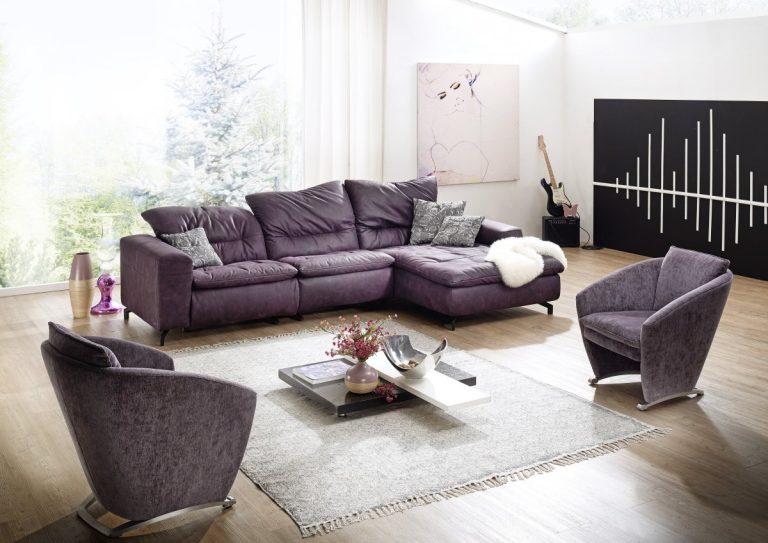

Home working became normal faster than home offices did. A great many people are still working from a dining chair at a kitchen table, which is fine for a week and a genuine problem over years.
This guide covers the setup decisions that affect comfort and output, the practical requirements in a UK home, and the boundary problem that matters as much as the furniture.
Get the Ergonomics Right First
This is not optional comfort. Sustained poor positioning causes real discomfort, and the fixes are cheap.
| Element | Aim for |
|---|---|
| Screen height | Top of the screen roughly at eye level, about an arm’s length away |
| Laptop use | Raise the screen on a stand and add a separate keyboard and mouse |
| Chair | Feet flat, thighs roughly parallel to the floor, lower back supported |
| Desk height | Elbows at roughly 90 degrees with shoulders relaxed |
| Keyboard position | Close enough that elbows stay near the body, wrists neutral |
| Position changes | Every 20 to 30 minutes; no single posture is good for hours |
The laptop point matters most. A laptop used alone forces the neck into flexion for the entire day, because the screen and keyboard cannot both be in the right place. A stand and a separate keyboard cost little and resolve it entirely.
If you are an employee, ask your employer about display screen equipment support. Duties regarding workstations do not disappear because the desk is in your house, and many employers will contribute to equipment.
Light and Sound
- Position the desk side-on to the window where possible. Facing a window causes glare; backing onto one puts your screen in shadow and you in silhouette on calls.
- Add a task lamp for the darker months, positioned to avoid screen reflection.
- Use cooler light for working hours and warmer light in the evening if the room is also a living space.
- Soft furnishings reduce echo — a rug, curtains, a bookcase — which improves call quality more than any microphone.
- Consider what is behind you on video calls, and whether a plain wall or a bookcase is available.
- Headphones with a boom microphone outperform a laptop microphone considerably.
Working Where There Is No Spare Room
Most UK homes do not have a spare room, and this is where design actually matters.
- Claim an alcove. A chimney recess or a landing corner takes a narrow desk well.
- Use a wall-mounted fold-down desk that disappears at the end of the day.
- Convert a cupboard, fitting a desk surface, shelves and a socket inside.
- Screen it. A folding screen, a curtain or a tall plant separates work from living space visually, which matters for switching off.
- Go vertical with shelving above the desk rather than spreading sideways.
- Keep it packable if the space is shared — a box or a drawer that takes the day’s work in one movement.
- Avoid the bedroom if you can. Working where you sleep weakens the association between the room and rest.
Power, Data and Practicalities
Sockets. Plan them properly rather than running extension leads across the floor. Overloaded extension leads and daisy-chained adaptors are a genuine fire risk. If you need additional sockets, use a registered electrician.
Connectivity. A wired connection outperforms wi-fi for calls. Powerline adaptors or a mesh system help where cabling is impractical.
Heating. A room used all day may need different heating from one used in the evening. In older properties, draught-proofing a home office is usually cheaper and more effective than additional heating.
Insurance and tenure. Check whether home working affects your home insurance, particularly if you hold business equipment or receive visitors. Check tenancy or lease terms, and whether business rates could apply to a room used exclusively for business.
Boundaries, Which Matter as Much as the Desk
The hardest part of home working is stopping. Without a commute, the transition has to be created deliberately.
- A defined finishing time, and a ritual that marks it — closing the laptop, a short walk, tidying the desk
- Work notifications off on personal devices outside working hours
- A genuine lunch break away from the desk
- Movement every hour, because home working typically involves less incidental walking than an office
- Where possible, work equipment out of sight in the evening
UK Housing Stock and Local Considerations
Home office possibilities depend heavily on the property. Victorian terraces offer alcoves and box rooms; tenement flats offer height; new builds offer fewer awkward spaces but better insulation. Broadband provision also varies considerably by area.
In the North West, housing and connectivity coverage appears in the Manchester Chronicle and Liverpool Tribune. Yorkshire is followed by Leeds Angle, Sheffield Voice and Bradford Daily.
Scotland, where rural connectivity is a significant issue alongside separate building standards, is covered by Glasgow Bulletin and Edinburgh Scope. Northern Ireland is reported by the Belfast Record.
Midlands housing and business news appears in Birmingham Focus, Coventry Insight, Leicester Echo, Derby Digest and Nottingham Times. The Newcastle Brief and Hull Report cover the North East and Humber.
Southern coverage appears in Brighton Update, reporting from an area with a substantial remote-working population, plus Southampton Ledger, Plymouth Wire and Bristol Outlook. London flats and hybrid working are covered by London Signals and Capital Outlook. Employment and support policy is followed via DWP UK Latest News, with business and technology reporting in Trade Mirror.
Frequently Asked Questions
Will my employer pay for equipment?
Many will contribute, and duties regarding display screen equipment apply to home workers too. Ask, and ask for a workstation assessment.
Is a standing desk worth it?
Useful because it makes changing position easy. Standing all day brings its own problems, so alternating is the point.
Do I need planning permission?
Generally not for working from a room in your home. It can arise for a material change of use, significant visitor numbers, or an outbuilding. Check with your local authority, and check lease or tenancy terms.
What is the best low-cost improvement?
A laptop stand and separate keyboard, then a chair with proper lower back support. Together they address most home-working discomfort.
Further Reading
Property, retail and lifestyle reporting appears across News Notes, Local News Point, Weekly Journal and Trends Archive. Retailers, makers and trades seeking coverage use agencies listed via Local PR Services, PR Directory and Press Hubs.
The Bottom Line
Raise the laptop screen to eye level and add a separate keyboard — the single most important change, and inexpensive. Then sort the chair, and position the desk side-on to the window.
If there is no spare room, claim an alcove or a cupboard and screen it so work is out of sight in the evening. Plan sockets properly rather than running extension leads. And build a finishing ritual, because stopping is harder than starting.
This article offers general design and practical guidance for a UK readership. It is not construction, electrical, structural or legal advice. Building regulations, planning rules and permitted development rights differ between England, Wales, Scotland and Northern Ireland and change over time. Electrical, gas, structural, drainage and fire safety work must be carried out by appropriately qualified and registered trades, and certain work requires notification, certification or consent. If you rent, check your tenancy agreement before making alterations. Confirm requirements with your local authority building control and a qualified professional before starting work.